Our Network


Coming Soon


Coming Later

JPG to Glitch Art Converter

World's Simplest JPG Tool

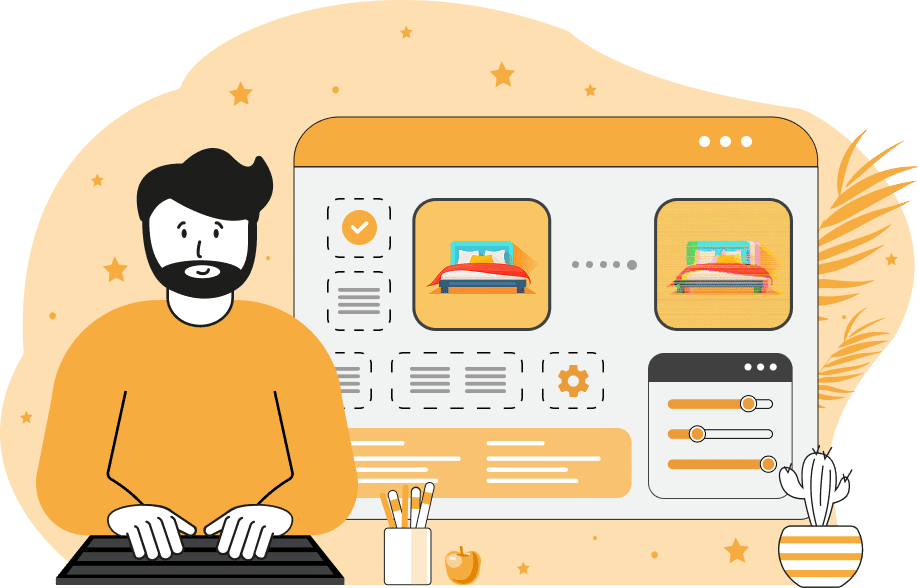
This is a simple browser-based JPEG glitch art generator. As soon as you paste your JPEG file in the input area, the program will apply distortion to create a glitch-styled JPG in the output area. You can combine pixelation, noise, blur, and lossy compression to design custom glitch art. Additionally, you can apply scanline offsets, slice blocks, shuffle pixels, and split RGB channels. Created by mad scientists from team Browserling.
JPG to Glitch Art Converter

World's Simplest JPG Tool

This is a simple browser-based JPEG glitch art generator. As soon as you paste your JPEG file in the input area, the program will apply distortion to create a glitch-styled JPG in the output area. You can combine pixelation, noise, blur, and lossy compression to design custom glitch art. Additionally, you can apply scanline offsets, slice blocks, shuffle pixels, and split RGB channels. Created by mad scientists from team Browserling.

Tool Options

Distortion Effects

Break JPEG into chunky pixels. (Pixelation: 0+, disabled: 0.)
Blur JPEG details. (Blur: 0+, disabled: 0.)
Add noisy glitch specks. (Noise: 0+, disabled: 0.)
Darken or lighten JPEG. (Light: 0–200%, disabled: 100%.)

Signal Breaks

Shift rows for glitch lines. (Glitch lines: 0–100, disabled: 0.)
Break JPEG into shifted strips. (Slice: 0–100, disabled: 0.)
Reorder JPEG pixels by light. (Shuffle: 0–100, disabled: 0.)
Separate RGB channels. (RGB split: 0–100, disabled: 0.)

Color Shift

Increase red color intensity. (Red: 0–255, disabled: 0.)
Increase green color intensity. (Green: 0–255, disabled: 0.)
Increase blue color intensity. (Blue: 0–255, disabled: 0.)

Quality and Color Filters

Lower JPEG quality for artifacts. (Quality: 0–100%, disabled: 0%.)
Lower WebP quality for artifacts. (Quality: 0–100%, disabled: 0%.)
Flip JPEG colors to negative.
Convert JPEG to grayscale.

What Is a JPG to Glitch Art Converter?

This tool converts a standard JPG/JPEG image into glitch art. It transforms a clean photo into a broken, distorted JPG with digital errors, shifted lines, misaligned RGB channels, and strong compression artifacts. To create unique glitch art, you need to upload a JPEG file and adjust the glitch settings. With distortion effects, you can simulate basic JPEG degradation. Pixelation increases the size of compression blocks, making the JPEG look coarse and low-quality. Blur removes sharp details and softens pixels. Noise adds random grain and speckled artifacts. Brightness adjusts overall lighting, allowing you to overexpose or darken the glitched JPG. With signal glitch effects, you can simulate structural distortions. Glitch lines shift horizontal rows, creating classic digital tearing. Slice blocks divide the JPEG into horizontal segments and offset them, producing broken stripes. Pixel shuffle rearranges pixels based on brightness, forming stretched or smeared areas. Color split shifts the RGB channels, creating chromatic aberration in which red, green, and blue tones no longer match. With color-shift effects, you can modify the JPEG’s tone. Red, green, and blue controls increase the intensity of each channel, causing unnatural color dominance. With compression options, you can add artifacts typical of low-quality pictures. Lowering JPG quality introduces block artifacts, ringing, and color smearing. Lowering WebP quality further distorts textures and adds unstable color patches. With JPEG color inversion, you can invert all colors to produce a negative image, and by converting the JPEG to grayscale, you can completely remove color from the image. Jpgabulous!

What Is a JPG to Glitch Art Converter?

This tool converts a standard JPG/JPEG image into glitch art. It transforms a clean photo into a broken, distorted JPG with digital errors, shifted lines, misaligned RGB channels, and strong compression artifacts. To create unique glitch art, you need to upload a JPEG file and adjust the glitch settings. With distortion effects, you can simulate basic JPEG degradation. Pixelation increases the size of compression blocks, making the JPEG look coarse and low-quality. Blur removes sharp details and softens pixels. Noise adds random grain and speckled artifacts. Brightness adjusts overall lighting, allowing you to overexpose or darken the glitched JPG. With signal glitch effects, you can simulate structural distortions. Glitch lines shift horizontal rows, creating classic digital tearing. Slice blocks divide the JPEG into horizontal segments and offset them, producing broken stripes. Pixel shuffle rearranges pixels based on brightness, forming stretched or smeared areas. Color split shifts the RGB channels, creating chromatic aberration in which red, green, and blue tones no longer match. With color-shift effects, you can modify the JPEG’s tone. Red, green, and blue controls increase the intensity of each channel, causing unnatural color dominance. With compression options, you can add artifacts typical of low-quality pictures. Lowering JPG quality introduces block artifacts, ringing, and color smearing. Lowering WebP quality further distorts textures and adds unstable color patches. With JPEG color inversion, you can invert all colors to produce a negative image, and by converting the JPEG to grayscale, you can completely remove color from the image. Jpgabulous!


JPG to Glitch Art Converter Examples

Click to try!
click me

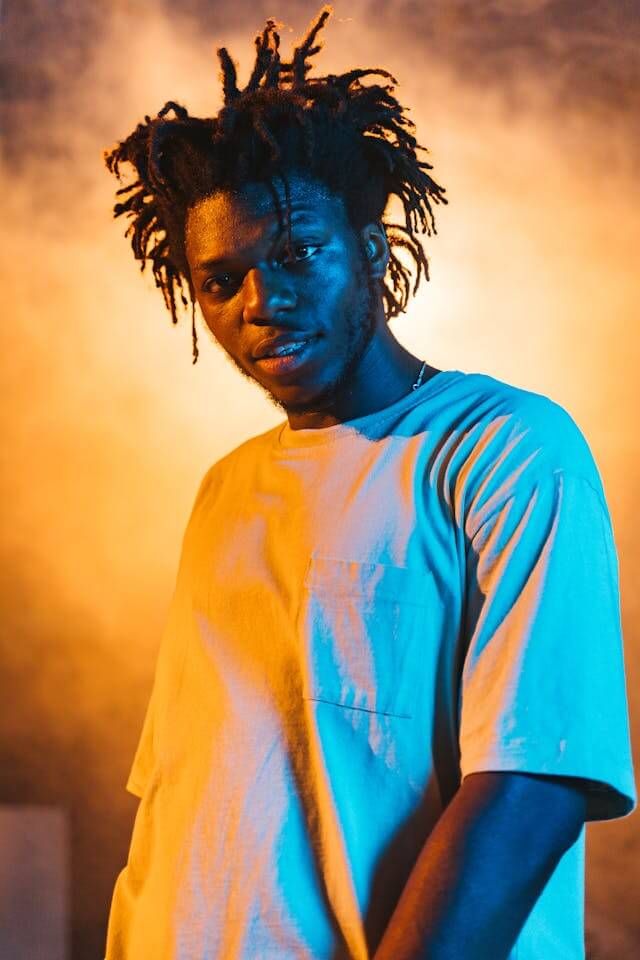
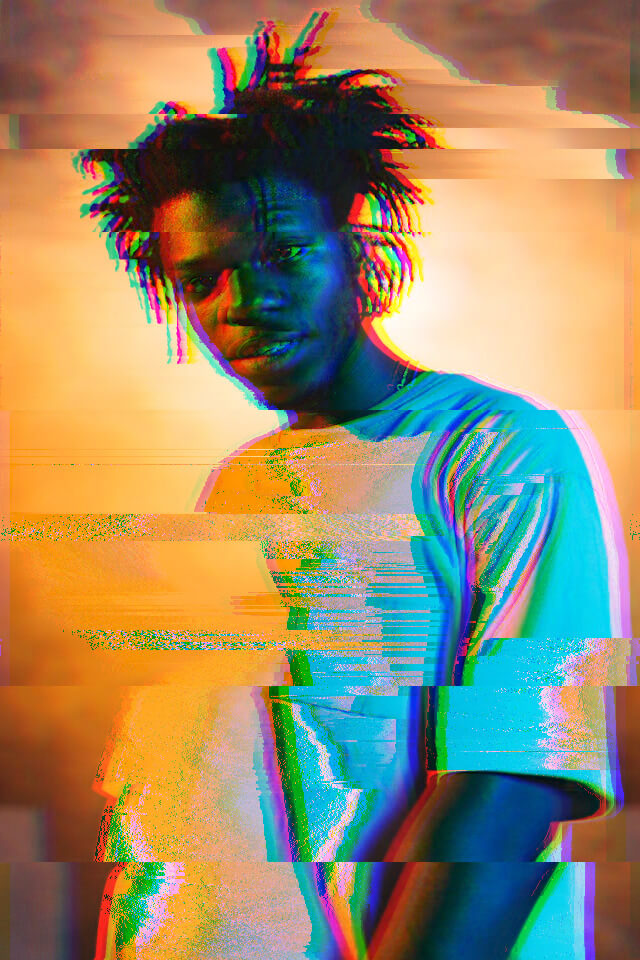
Glitch Portrait of a Man

In this example, we create a stylized portrait with vibrant lighting and a digital decay effect. We apply pixel sorting to melt the picture structure into atomic-like fragments. We also use glitch slices to add sharp horizontal shifts to the JPEG data. (Source: Pexels.)
Required options
These options will be used automatically if you select this example.
Break JPEG into chunky pixels. (Pixelation: 0+, disabled: 0.)
Blur JPEG details. (Blur: 0+, disabled: 0.)
Add noisy glitch specks. (Noise: 0+, disabled: 0.)
Darken or lighten JPEG. (Light: 0–200%, disabled: 100%.)
Shift rows for glitch lines. (Glitch lines: 0–100, disabled: 0.)
Break JPEG into shifted strips. (Slice: 0–100, disabled: 0.)
Reorder JPEG pixels by light. (Shuffle: 0–100, disabled: 0.)
Separate RGB channels. (RGB split: 0–100, disabled: 0.)
Increase red color intensity. (Red: 0–255, disabled: 0.)
Increase green color intensity. (Green: 0–255, disabled: 0.)
Increase blue color intensity. (Blue: 0–255, disabled: 0.)
Lower JPEG quality for artifacts. (Quality: 0–100%, disabled: 0%.)
Lower WebP quality for artifacts. (Quality: 0–100%, disabled: 0%.)
Flip JPEG colors to negative.
Convert JPEG to grayscale.
click me

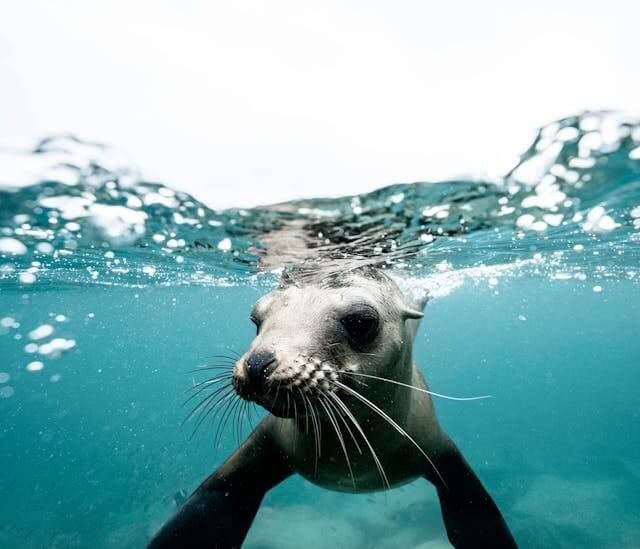
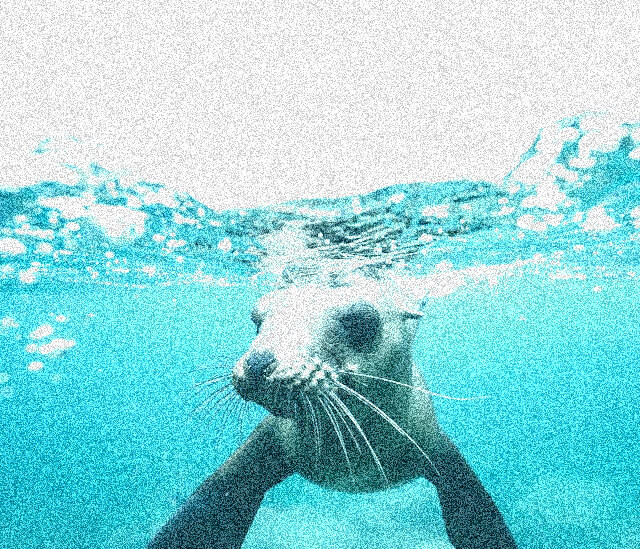
Noisy Cyan-tinted Seal JPG

In this example, we generate a high-grain JPEG picture that mimics an old television signal. We increase the noise levels and shift the color balance toward green and blue tones, creating a cold, overexposed atmosphere across the JPEG. (Source: Pexels.)
Required options
These options will be used automatically if you select this example.
Break JPEG into chunky pixels. (Pixelation: 0+, disabled: 0.)
Blur JPEG details. (Blur: 0+, disabled: 0.)
Add noisy glitch specks. (Noise: 0+, disabled: 0.)
Darken or lighten JPEG. (Light: 0–200%, disabled: 100%.)
Shift rows for glitch lines. (Glitch lines: 0–100, disabled: 0.)
Break JPEG into shifted strips. (Slice: 0–100, disabled: 0.)
Reorder JPEG pixels by light. (Shuffle: 0–100, disabled: 0.)
Separate RGB channels. (RGB split: 0–100, disabled: 0.)
Increase red color intensity. (Red: 0–255, disabled: 0.)
Increase green color intensity. (Green: 0–255, disabled: 0.)
Increase blue color intensity. (Blue: 0–255, disabled: 0.)
Lower JPEG quality for artifacts. (Quality: 0–100%, disabled: 0%.)
Lower WebP quality for artifacts. (Quality: 0–100%, disabled: 0%.)
Flip JPEG colors to negative.
Convert JPEG to grayscale.
click me

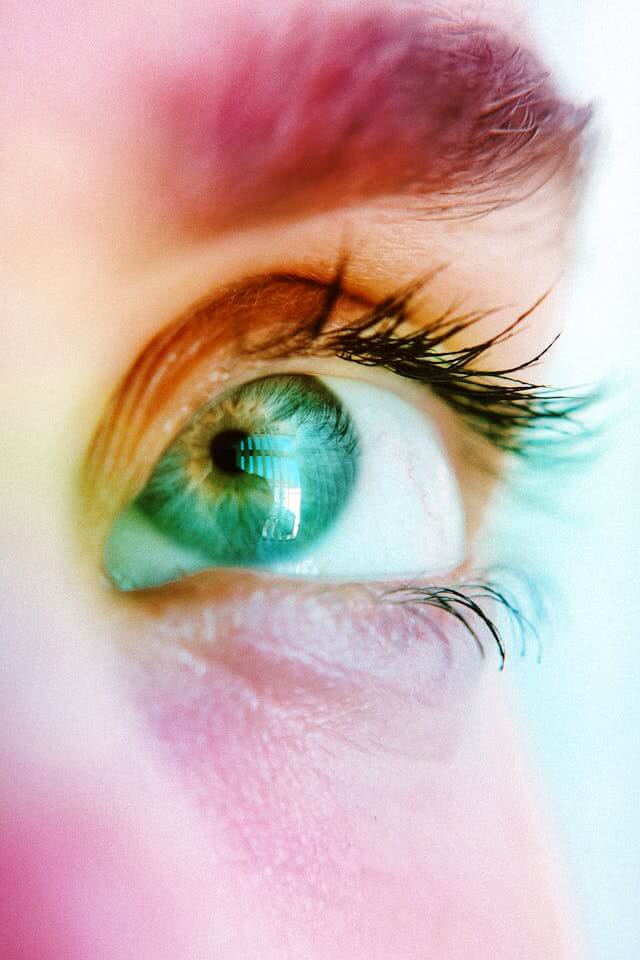
Glitched Eye with RGB Distortion

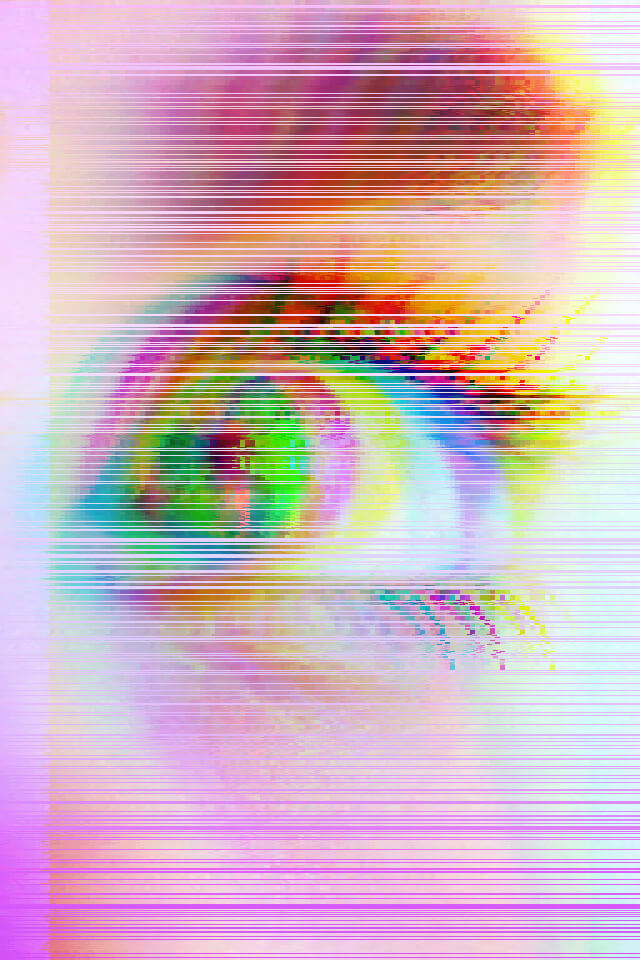
In this example, we turn a detailed eye JPEG into glitch art with visible signal interference. We create horizontal distortions and strong RGB separation, which produce color fringing and tearing. We also add light pixelation, which reduces clarity and enhances the corrupted digital look. (Source: Pexels.)
Required options
These options will be used automatically if you select this example.
Break JPEG into chunky pixels. (Pixelation: 0+, disabled: 0.)
Blur JPEG details. (Blur: 0+, disabled: 0.)
Add noisy glitch specks. (Noise: 0+, disabled: 0.)
Darken or lighten JPEG. (Light: 0–200%, disabled: 100%.)
Shift rows for glitch lines. (Glitch lines: 0–100, disabled: 0.)
Break JPEG into shifted strips. (Slice: 0–100, disabled: 0.)
Reorder JPEG pixels by light. (Shuffle: 0–100, disabled: 0.)
Separate RGB channels. (RGB split: 0–100, disabled: 0.)
Increase red color intensity. (Red: 0–255, disabled: 0.)
Increase green color intensity. (Green: 0–255, disabled: 0.)
Increase blue color intensity. (Blue: 0–255, disabled: 0.)
Lower JPEG quality for artifacts. (Quality: 0–100%, disabled: 0%.)
Lower WebP quality for artifacts. (Quality: 0–100%, disabled: 0%.)
Flip JPEG colors to negative.
Convert JPEG to grayscale.
click me

Birds in Inverted Sky

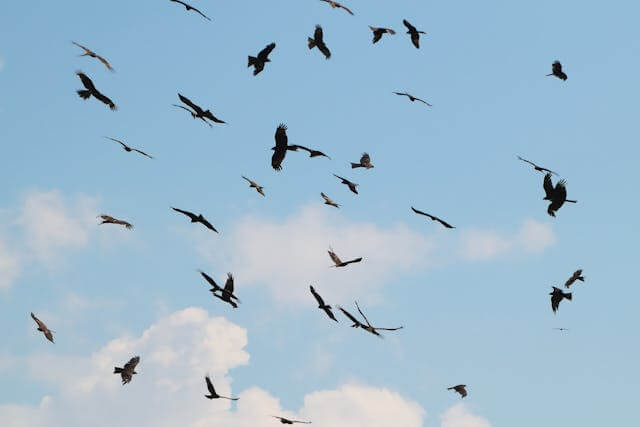
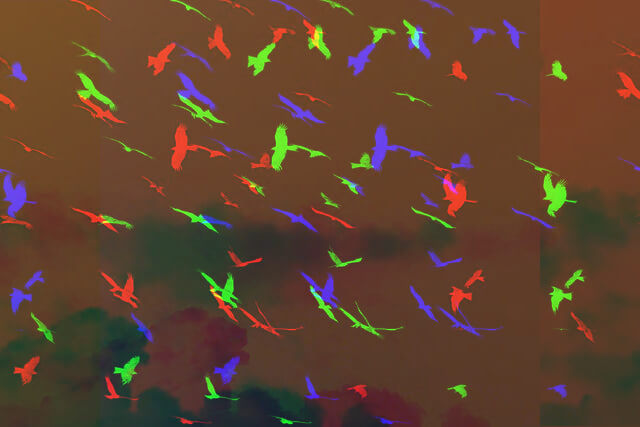
This example produces a surreal glitch sky by using the invert option and maximum chromatic shift. It causes every bird in the flock to split into separate red, green, and blue silhouettes, making the group appear much larger and more chaotic. (Source: Pexels.)
Required options
These options will be used automatically if you select this example.
Break JPEG into chunky pixels. (Pixelation: 0+, disabled: 0.)
Blur JPEG details. (Blur: 0+, disabled: 0.)
Add noisy glitch specks. (Noise: 0+, disabled: 0.)
Darken or lighten JPEG. (Light: 0–200%, disabled: 100%.)
Shift rows for glitch lines. (Glitch lines: 0–100, disabled: 0.)
Break JPEG into shifted strips. (Slice: 0–100, disabled: 0.)
Reorder JPEG pixels by light. (Shuffle: 0–100, disabled: 0.)
Separate RGB channels. (RGB split: 0–100, disabled: 0.)
Increase red color intensity. (Red: 0–255, disabled: 0.)
Increase green color intensity. (Green: 0–255, disabled: 0.)
Increase blue color intensity. (Blue: 0–255, disabled: 0.)
Lower JPEG quality for artifacts. (Quality: 0–100%, disabled: 0%.)
Lower WebP quality for artifacts. (Quality: 0–100%, disabled: 0%.)
Flip JPEG colors to negative.
Convert JPEG to grayscale.
click me

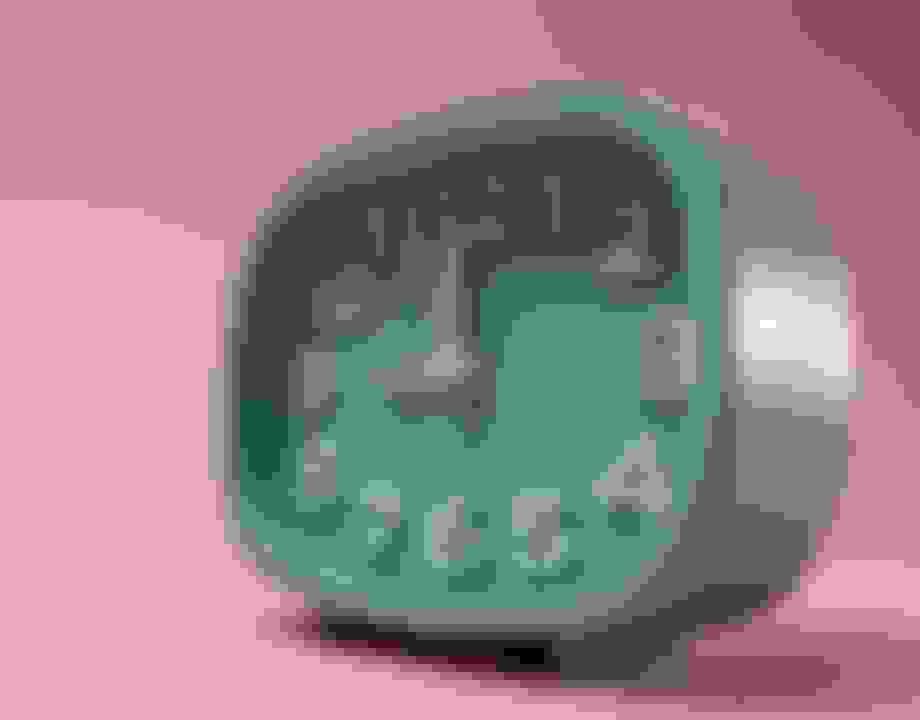
Clock Broken into Color Patches

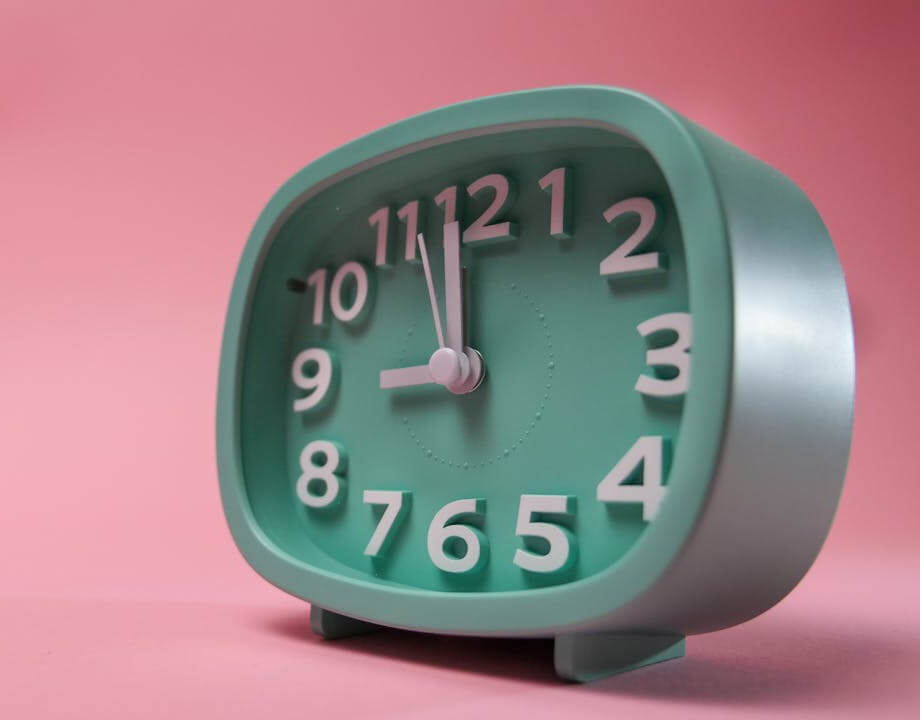
In this example, we lower JPEG quality to zero and add blur. The clock picture breaks into colored patches and flat fills, leaving only faint shapes of the green clock face, hands, and numbers. (Source: Pexels.)
Required options
These options will be used automatically if you select this example.
Break JPEG into chunky pixels. (Pixelation: 0+, disabled: 0.)
Blur JPEG details. (Blur: 0+, disabled: 0.)
Add noisy glitch specks. (Noise: 0+, disabled: 0.)
Darken or lighten JPEG. (Light: 0–200%, disabled: 100%.)
Shift rows for glitch lines. (Glitch lines: 0–100, disabled: 0.)
Break JPEG into shifted strips. (Slice: 0–100, disabled: 0.)
Reorder JPEG pixels by light. (Shuffle: 0–100, disabled: 0.)
Separate RGB channels. (RGB split: 0–100, disabled: 0.)
Increase red color intensity. (Red: 0–255, disabled: 0.)
Increase green color intensity. (Green: 0–255, disabled: 0.)
Increase blue color intensity. (Blue: 0–255, disabled: 0.)
Lower JPEG quality for artifacts. (Quality: 0–100%, disabled: 0%.)
Lower WebP quality for artifacts. (Quality: 0–100%, disabled: 0%.)
Flip JPEG colors to negative.
Convert JPEG to grayscale.

All JPG Tools

Didn't find the tool you were looking for? Let us know what tool we are missing and we'll build it!
Quickly find the name of any color in a JPEG picture.
Quickly change the quality of a JPEG graphic file.
Quickly make any color in a JPG or JPEG transparent.
Quickly remove any color from a JPG or JPEG photo.
Quickly generate a custom JPEG of any size and color.
Quickly resize a JPG/JPEG picture to a new size.
Quickly rotate a JPEG image by any angle.
Quickly sharpen an area of a JPEG photo.
Quickly pixelate an area of a JPEG photo.
Quickly blur an area of a JPEG photo.
Quickly add text to a JPG/JPEG image.
Quickly add a border to a JPEG photo.
Quickly add a margin around a JPEG photo.
Quickly delete a margin from a JPEG image.
Quickly wrap a JPEG photo in extra empty space.
Quickly remove the empty space surrounding a JPEG image.
Quickly add a padding around a JPEG photo.
Quickly remove padding from a JPEG image.
Quickly round the corners of a JPEG image.
Quickly generate random JPEG images with random pixels.
Quickly change colors in a JPG/JPEG photo.
Quickly create a JPG/JPEG with any color shade.
Quickly reduce the size of a JPEG file by compressing it.
Quickly convert JPG images to WebP images.
Quickly convert WebP images to JPG images.
Quickly convert a JPG photo to a GIF photo.
Quickly convert a GIF picture to a JPG picture.
Quickly convert a JPG file to a BMP file.
Quickly convert a BMP photo to a JPG photo.
Quickly convert a JPG photo to a JPEG photo.
Quickly convert a JPEG graphic file to a JPG graphic file.
Quickly convert a JPG picture to a PNG picture.
Quickly convert a PNG picture to a JPG picture.
Quickly convert a JPG picture to the base64 encoding.
Quickly convert base64 encoding to a viewable JPG picture.
Quickly extract a list of hex codes from any JPG image.
Quickly decode a list of hex codes into a JPEG image.
Quickly convert emojis and Unicode art to JPG pictures.
Quickly generate a JPG picture from any text.
Quickly crop a region of a JPEG picture.
Quickly flip a JPEG photo vertically.
Quickly flip a JPEG photo horizontally.
Quickly create multiple copies a JPEG picture.
Quickly apply a horizontal or vertical slant to a JPG pic.
Quickly convert a JPEG image to a Data URL.
Quickly convert a Data URL to a JPEG graphics file.
Quickly turn a JPEG picture grayscale.
Quickly convert a JPEG picture into glitch art.
Quickly convert a JPEG picture into a black-and-white JPEG.
Quickly black out a region in a JPG photo.
Quickly lighten an area of a JPEG photo (increase brightness).
Quickly dim an area of a JPEG photo (decrease brightness).
Quickly create a JPEG photo with higher contrast.
Quickly create a JPEG photo with lower contrast.
Quickly invert all colors in a JPG picture.
Quickly increase the dimensions of a JPG/JPEG picture.
Quickly decrease the dimensions of a JPG/JPEG picture.
Quickly optimize a JPG/JPEG to get the best quality/size ratio.
Quickly add artefacts to a JPG/JPEG picture.
Quickly remove artefact distortions from a JPG/JPEG picture.
Quickly remove a border from a JPEG photo.
Quickly get rid of the background in a JPG/JPEG file.
Quickly add random pixels and white noise to a JPEG picture.
Quickly extract red, green, and blue channels from a JPEG.
Quickly extract cyan, magenta, yellow, and key channels.
Quickly extract hue, saturation, and light color channels.
Quickly extract a color palette of the most popular colors.
Quickly change the number of colors in a JPEG photo.
Quickly create a dither JPG with a limited number of colors.
Quickly convert the given JPEG picture into a two-color JPEG.
Quickly create a whirl in a JPG/JPEG photo.
Quickly put a watermark on a JPG/JPEG photo.
Quickly highlight a specific area in a JPEG picture.
Quickly change a JPEG's orientation to landscape or portrait.
Quickly create a JPEG that's filled with the given color.
Quickly create a perfectly-sized JPEG for social media.
Quickly add text labels, arrows, and boxes to a JPEG photo.
Quickly check if your picture has the JPG/JPEG format.

Coming Soon

These JPG tools are on the way!
JPEG Editor

Edit JPG pictures in your browser.

Shift a JPG

Shift a JPEG to the right or left.

Slice a JPG

Extract a part of a JPEG picture.

Split a JPGs

Split a JPG into multiple smaller JPEGs.

Merge JPGs

Join multiple JPEGs together to create a single image.

Create a JPG Preview Thumbnail

Convert a JPEG picture to a smaller preview thumbnail.

Convert a Sequential JPG to a Progressive JPG

Convert a baseline JPEG to an interlaced JPEG.

Convert a Progressive JPEG to a Sequential JPEG

Convert an interlaced JPG to a baseline JPG.

Convert JPG to PDF

Create a PDF document from one or more JPG pictures.

Convert PDF to JPG

Extract PDF pages as JPG pictures.

Convert JPG to EPS

Create an EPS file from a JPG picture.

Convert EPS to JPG

Create a JPG picture from an EPS file.

Convert JPG to JPEG2000

Convert JPEG photos to JPG 2000 photos.

Convert JPG2000 to JPEG

Convert JPEG 2000 images to JPG images.

Convert JPG to ICO

Convert JPEG images to ICO icons.

Convert ICO to JPEG

Convert ICO icons to JPG images.

Convert JPG to TIFF

Convert JPEG images to TIFF images.

Convert TIFF to JPEG

Convert TIFF images to JPG images.

Convert JPEG to QOI

Convert JPG pictures to QOI (Quote OK Image Format) pictures.

Convert QUI to JPEG

Convert QUI pictures to JPG pictures.

Convert JPG to PIK

Convert JPEG images to PIK images.

Convert PIK to JPEG

Convert a PIK image to a JPG image.

Convert JPG to PPM

Convert a JPEG image to a PPM image.

Convert PPM to JPEG

Convert a PPM image to a JPG image.

Convert JPG to BPG

Convert a JPEG image to a BPG image.

Convert BPG to JPEG

Convert a BPG image to a JPG image.

Convert JPG to RGB

Convert a JPEG image to raw RGB values.

Convert RGB to JPEG

Convert raw RGB values to a JPG image.

Convert JPEG to RGBA

Convert a JPG image to raw RGBA values.

Convert RGBA to JPG

Convert raw RGBA values to a JPEG image.

Convert JPEG to ARGB

Convert a JPG image to raw ARGB values.

Convert ARGB to JPG

Convert raw ARGB values to a JPEG image.

Convert JPG to BGR

Convert a JPEG image to raw BGR values.

Convert BGR to JPEG

Convert raw BGR values to a JPG image.

Convert JPG to BGRA

Convert a JPEG image to raw BGRA values.

Convert BGRA to JPEG

Convert raw BGRA values to a JPG image.

Convert JPG to ABGR

Convert a JPEG image to raw ABGR values.

Convert ABGR to JPEG

Convert raw ABGR values to a JPG image.

Convert JPG to FLIF

Convert a JPEG image to a FLIF image.

Convert FLIF to JPEG

Convert a FLIF image to a JPG image.

Convert JPG to AV1

Convert a JPEG image to an AVIF (AV1) image.

Convert AV1 to JPEG

Convert an AVIF (AV1) image to a JPG image.

Convert JPEGs to Animated GIF

Convert multiple JPGs to a GIF animation.

Convert JPEGs to Animated PNG

Convert multiple JPGs to an APNG animation.

Convert JPEGs to Animated Webp

Convert multiple JPGs to a Webp animation.

Convert JPG to Excel

Create an Excel spreadsheet with colored cells from a JPEG.

Mix Two JPEGs

Combine two JPG/JPEG pictures together.

Slowly Load a JPG

Load a JPG slowly pixel-line by pixel-line.

Create a Single Color JPG

Generate a one-color JPEG of any size.

Create a Glitch JPG

Randomize bytes in a JPEG and create a glitched JPEG.

Enhance a JPG

Increase the quality of a JPEG picture.

Watercolor a JPG

Apply the watercolor effect on a JPG photo.

Create ASCII Art from a JPEG

Convert a JPG to an ASCII art image.

Create JPG from ASCII Art

Convert an ASCII drawing into a JPEG drawing.

Create ANSI Art from JPG

Convert a JPEG to an ANSI art image.

Create JPG from ANSI Art

Convert an ANSI drawing to a JPEG drawing.

Rename a JPG

Change the filename of a JPG.

Mirror a JPEG

Create a mirror copy of a JPG image.

Make a JPEG Symmetric

Create convert the given JPG into a symmetric JPG.

Quantize a JPEG

Apply a color quantization algorithm on a JPG picture.

Add Sound to JPEG

Add sound to a JPG picture.

Fix a Broken JPEG

Try to recover a JPG that has been damaged.

Extract JPG Metadata

Show the hidden metadata (EXIF info) in a JPEG picture.

Add JPG Metadata

Add hidden metadata (EXIF info) to a JPEG picture.

Delete JPG Metadata

Remove the hidden metadata (EXIF info) from a JPEG picture.

Add a Secret JPG Comment

Insert a hidden comment in a JPG picture (as EXIF entry).

Find Pixels in JPG

Find positions of certain pixels in a JPEG.

Replace Pixels in JPG

Replace certain pixels in a JPEG.

Delete Pixels in JPG

Delete certain pixels in a JPEG.

Swap Pixel Pairs in JPG

Swap every two pixels in a JPEG row-wise or column-wise.

Swap Blocks of Pixels in JPG

Swap pixel blocks of any size in JPEG rows or columns.

Create Perturbations in JPG

Add errors to a JPEG and produce a modified picture.

Compare Two JPEGs

Find differences between two JPG pictures.

JPG Viewer

View JPEG pictures in your browser.


Subscribe!

Subscribe to our updates. We'll let you know when we release new tools, features, and organize online workshops.

Enter your email here


Feedback. We'd love to hear from you! 👋

Created with love by

We're Browserling — a friendly and fun cross-browser testing company powered by alien technology. At Browserling we love to make people's lives easier, so we created this collection of online JPG tools. Our tools have the simplest possible user interface that is focused on getting things done. People love our tools and they are now used by millions of people every month. Our JPG tools are actually powered by our web developer tools that we created over the last couple of years. Check them out!

49K
@browserling

Didn't find the tool you were looking for? Let us know what tool we are missing and we'll build it!